
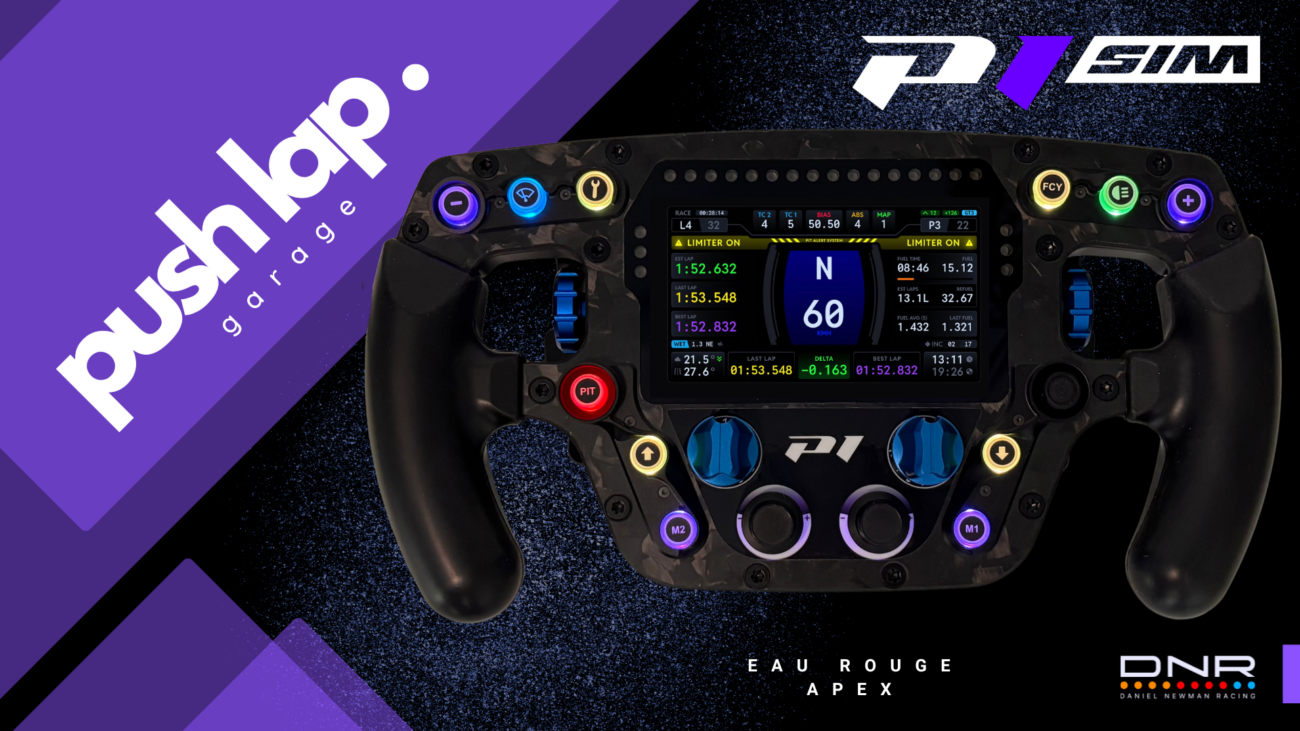

In sim racing, the real luxury isn’t having a wheel that lights up… it’s having a wheel that speaks clearly. Not “pretty”, not “expensive”, not “packed with LEDs”. Just: readable, consistent, and genuinely useful when your heart rate is already 180 bpm in a double stint.
To kick off Season 2 on Push Lap Garage, I deliberately started with a big one: the Peugeot 9X8. The goal was twofold. First, to put this Hypercar back at the center of the conversation as we look toward the 2026 WEC season, with Qatar firmly in sight — not with a showcase article, but with a real driving baseline: what the car is telling you, how it behaves, and how you need to “read” it to be consistent.
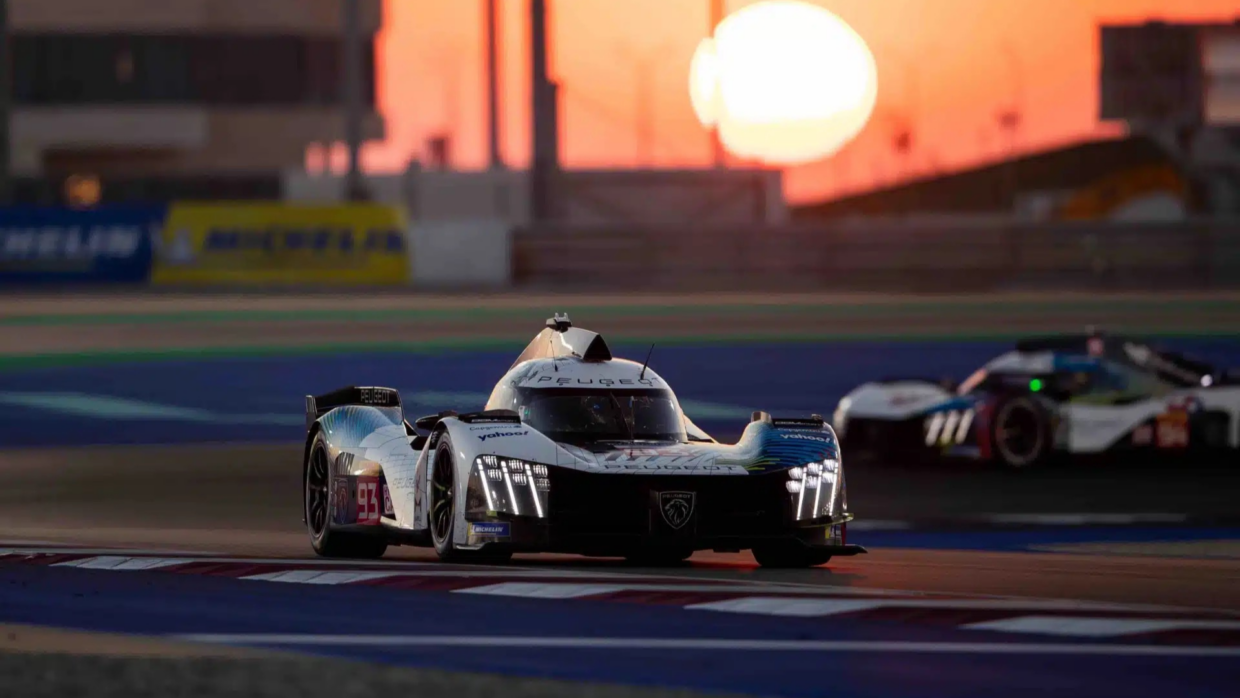
And that brings us to Article 2 of Season 2. The thread is clear: over several articles, I’m building a progressive prep toward the opening round. Not a miracle guide, not “do what I do and it works”, but a structured approach: first we put the right tools and method in place, then we refine, and only after that do we start exploiting the more advanced functions. The goal is to show up ready… not just motivated.
With that in mind, we’re starting with the duo that will become the backbone of what follows: the P1 SIM Eau Rouge Apex wheel and the DNR (Daniel Newman Racing) plugin. Because a wheel isn’t just an object — it’s your driving interface. And DNR is potentially the layer that turns your screen and LEDs into real race information — the kind you read at a glance, at the right moment, without thinking. Not a Christmas tree on caffeine. A language.
And here’s an important detail: when you buy the wheel, the brand provides a key that unlocks the “Premium” version of the DNR plugin.
In other words, you’re not just getting compatibility — you’re getting real access to the full ecosystem, its customization options, and its endurance-oriented logic.
The next level is multiplexing. There’s no need to dump it all at once: we’ll build it progressively, the way you build a strong stint. One function, one objective, one clear benefit. The idea is for it to become second nature at the wheel — not a puzzle you have to solve before every session.
So we start with DNR: what it is, how to install it, what it changes in practice, and why it’s the first logical brick before tackling everything else.
Home Screen: Cockpit Status Before the Start
I’ll be honest: the first thing I look at is the look. Because a cockpit is also an atmosphere. And on the Eau Rouge Apex, that home screen is exactly that clean little moment of satisfaction before going wheel-to-wheel into Turn 1: you place your hands, glance up, and you instantly feel whether your setup tells a story… or whether you’re basically driving inside an Excel spreadsheet with LEDs.
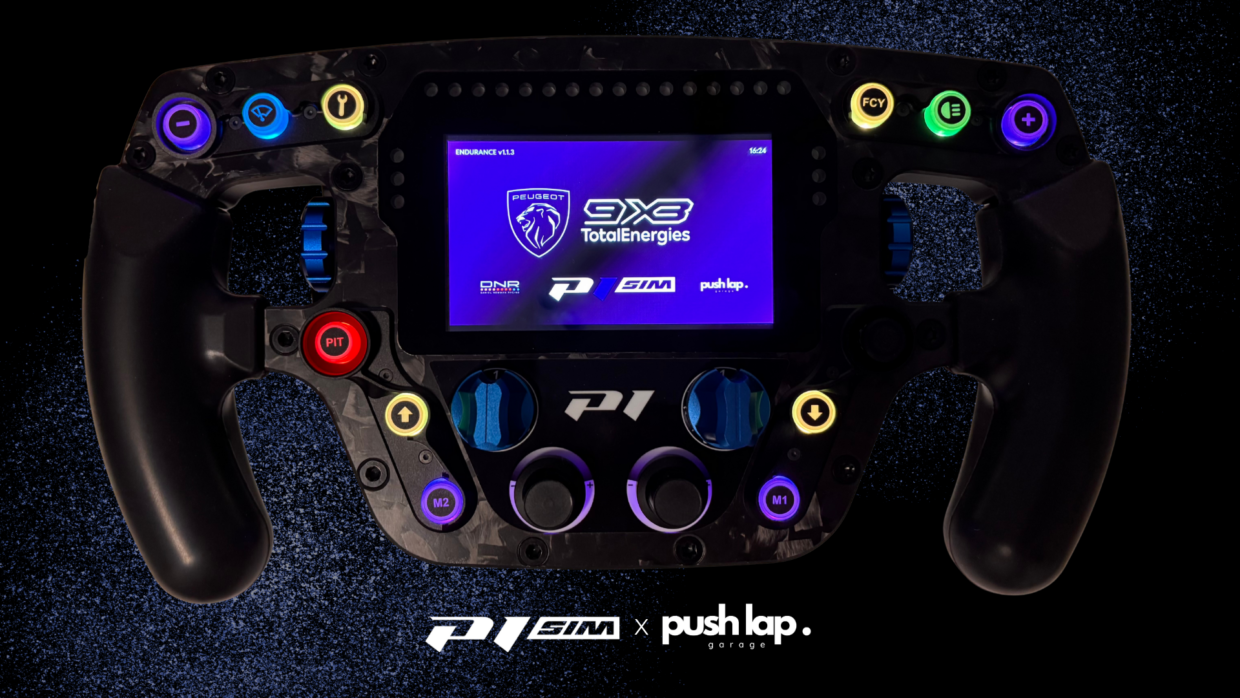
Visually, it hits hard without drifting into “tuning”: a high-contrast purple background, the Peugeot crest, 9X8 TotalEnergies front and center, and at the bottom the signature DNR / P1 SIM / pushlap. Simple, readable, and above all coherent — it gives the cockpit an identity.
What’s interesting is that the aesthetics aren’t just decoration. Precisely because it looks clean and purposeful, this screen becomes a real pre-session anchor. When I see it, I know exactly where I am in my process: still in preparation mode, checking a couple of details, settling in, and mentally switching into session mode. It’s like putting on your gloves before leaving the pit box: it doesn’t add horsepower, but it puts you in the right headspace.
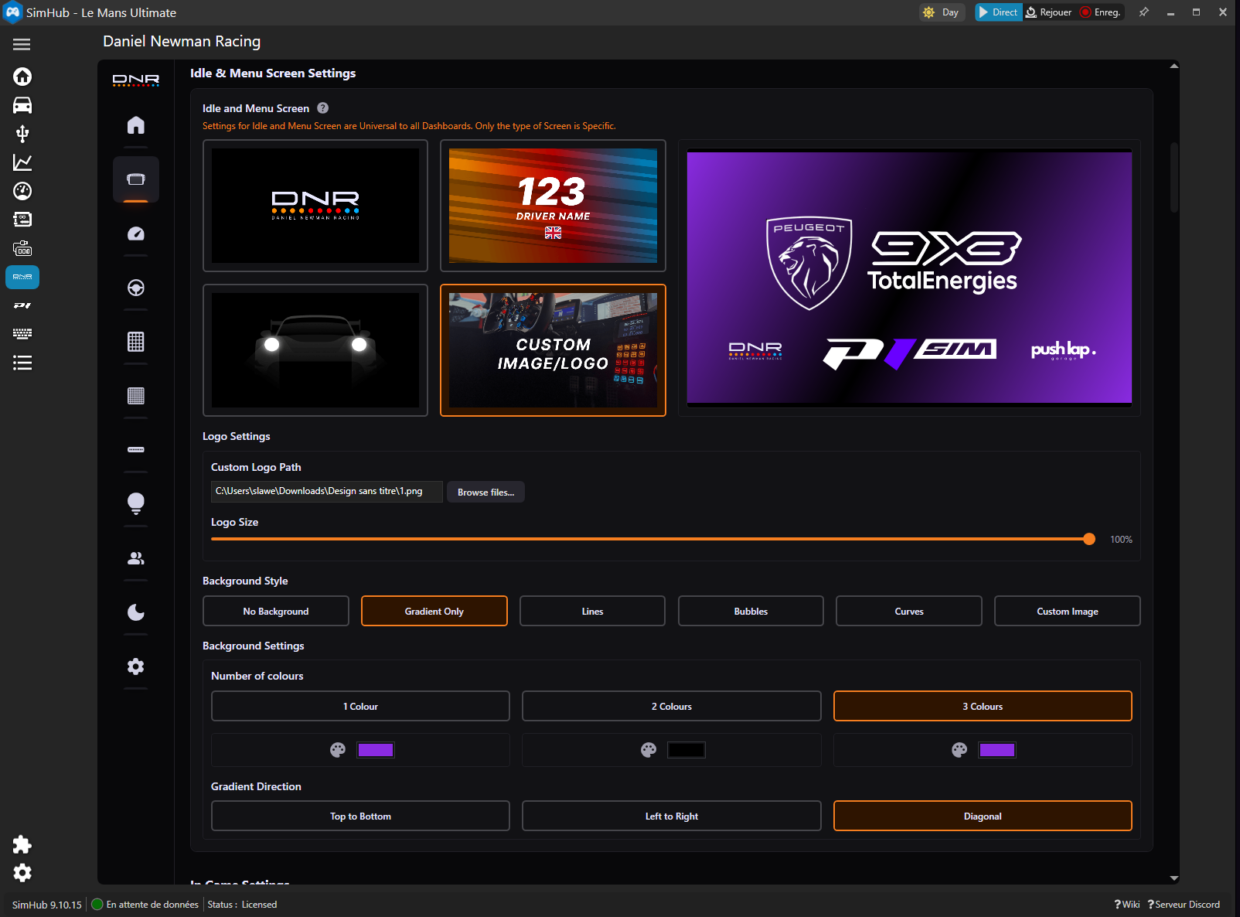
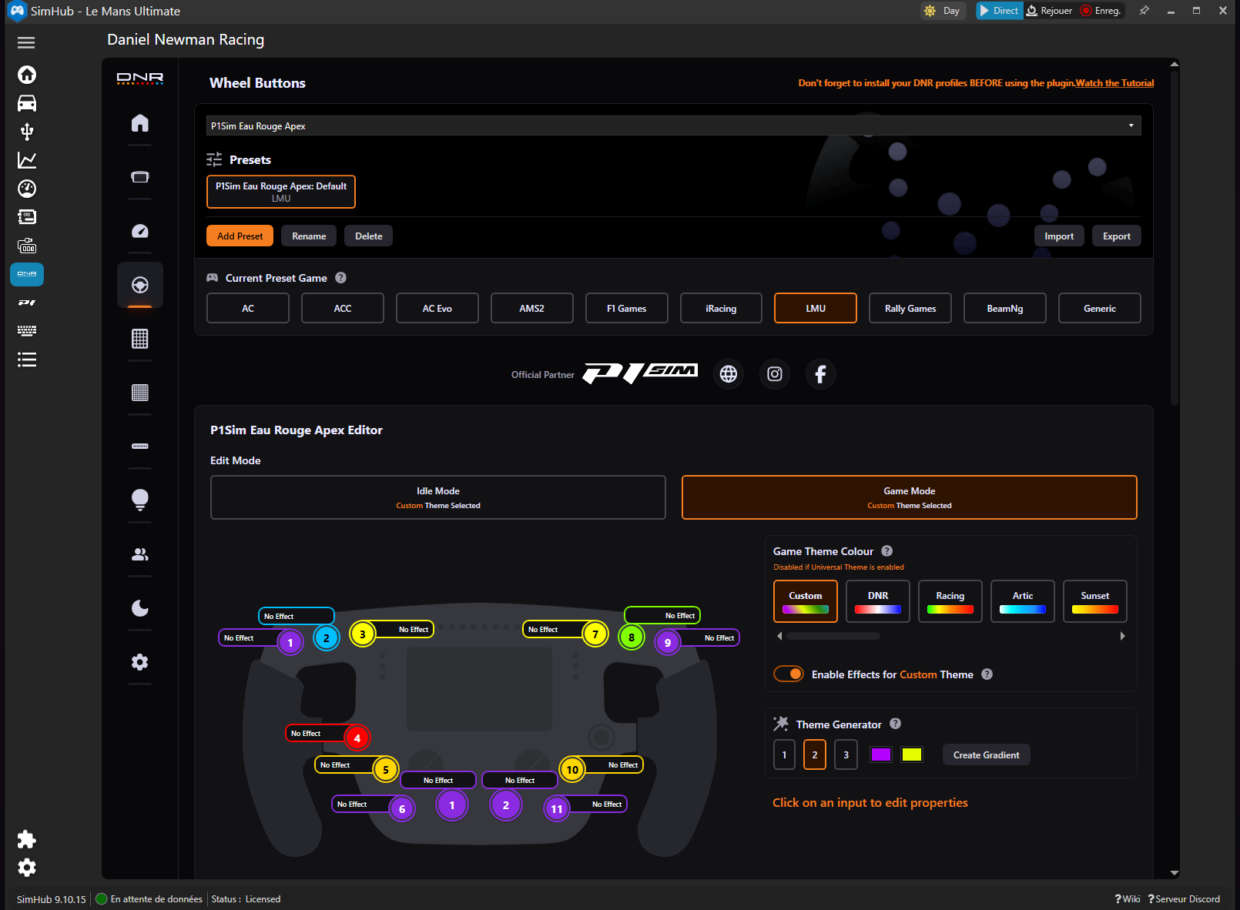
COLOR Advanced: #FF8A2BE2
And there’s another thing this screen does really well: it sets up what comes next. The backlit buttons around the wheel aren’t there just to look good — even if yes, they contribute to the overall feel. The goal is for them to become a visual language consistent with DNR: zones, statuses, priorities. Here, I’m setting the scene with 9X8 identity and the P1 SIM signature. In the next section, we get concrete: how I structure button lighting so the wheel isn’t only “stylish”, but genuinely useful when the track starts talking back.
Button Lighting: A Clear Language, Not a Light Show
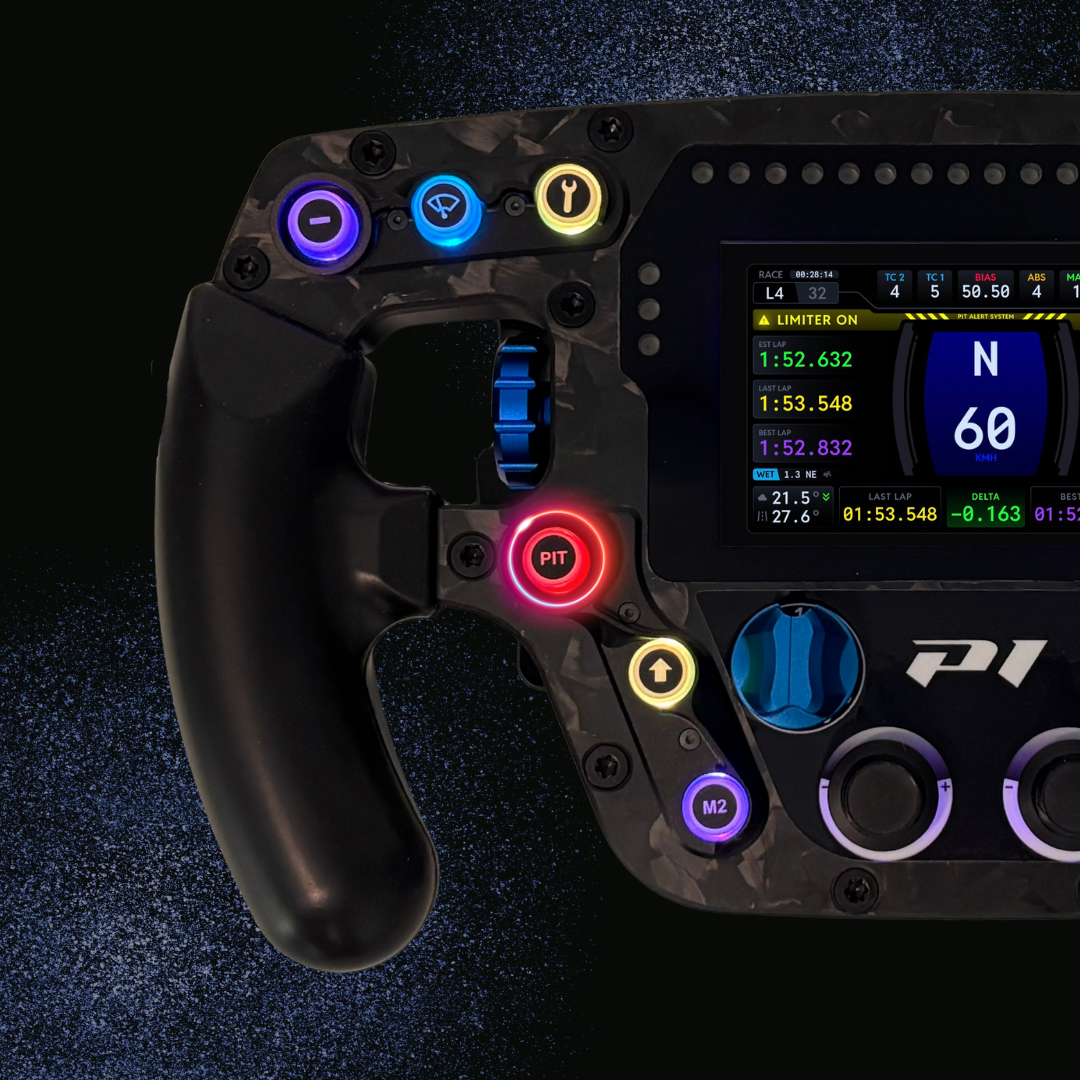
At this point, I wanted to avoid the classic modern-wheel trap: everything lights up, everything looks “cool”… and in the end, nothing has priority. So I designed the lighting like a real race language, with one simple rule: one color = one intent, and above all, an action that stays obvious even when things get messy in traffic.
Red = Critical Action
Color Advanced #FF8A2BE2
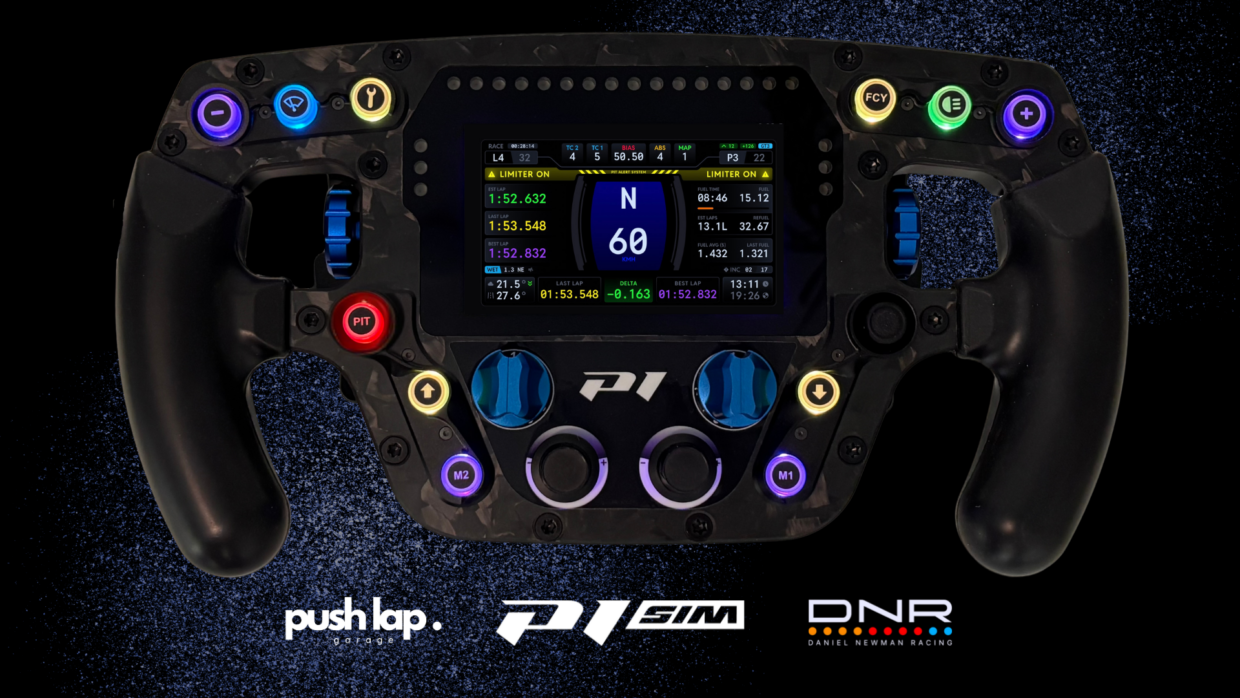
PIT (red): my reflex button for the pit speed limiter. Red because it’s binary: you hit it and you’re safe, or you miss it and you get a penalty — or you waste time for no reason.
Blue = Conditions / Visibility
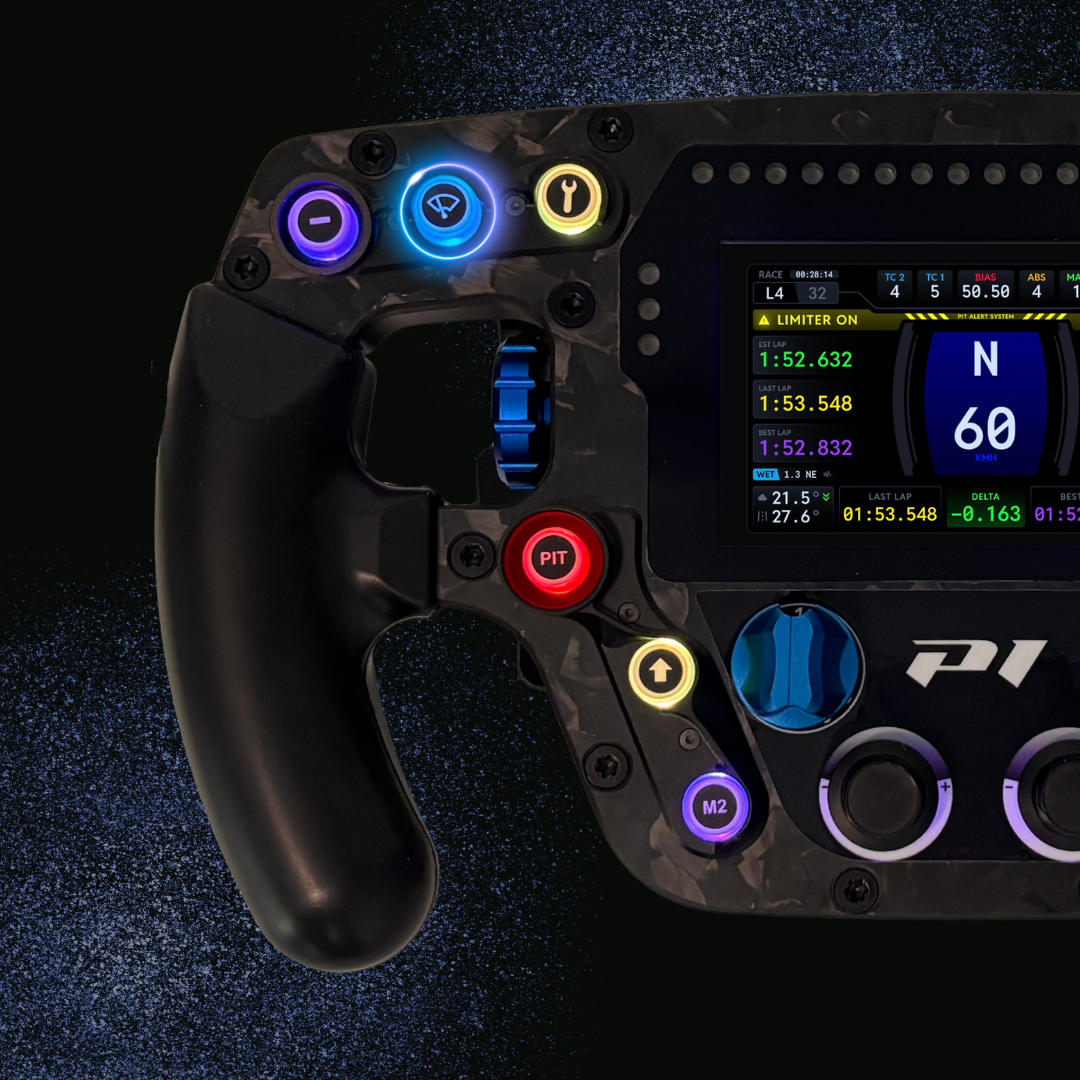
Color Advanced #FF00BFFF
Wipers (blue): windshield wipers. A cold, logical color, never confused with a procedure or a critical action. I want my brain to file it instantly under “weather / visibility”.
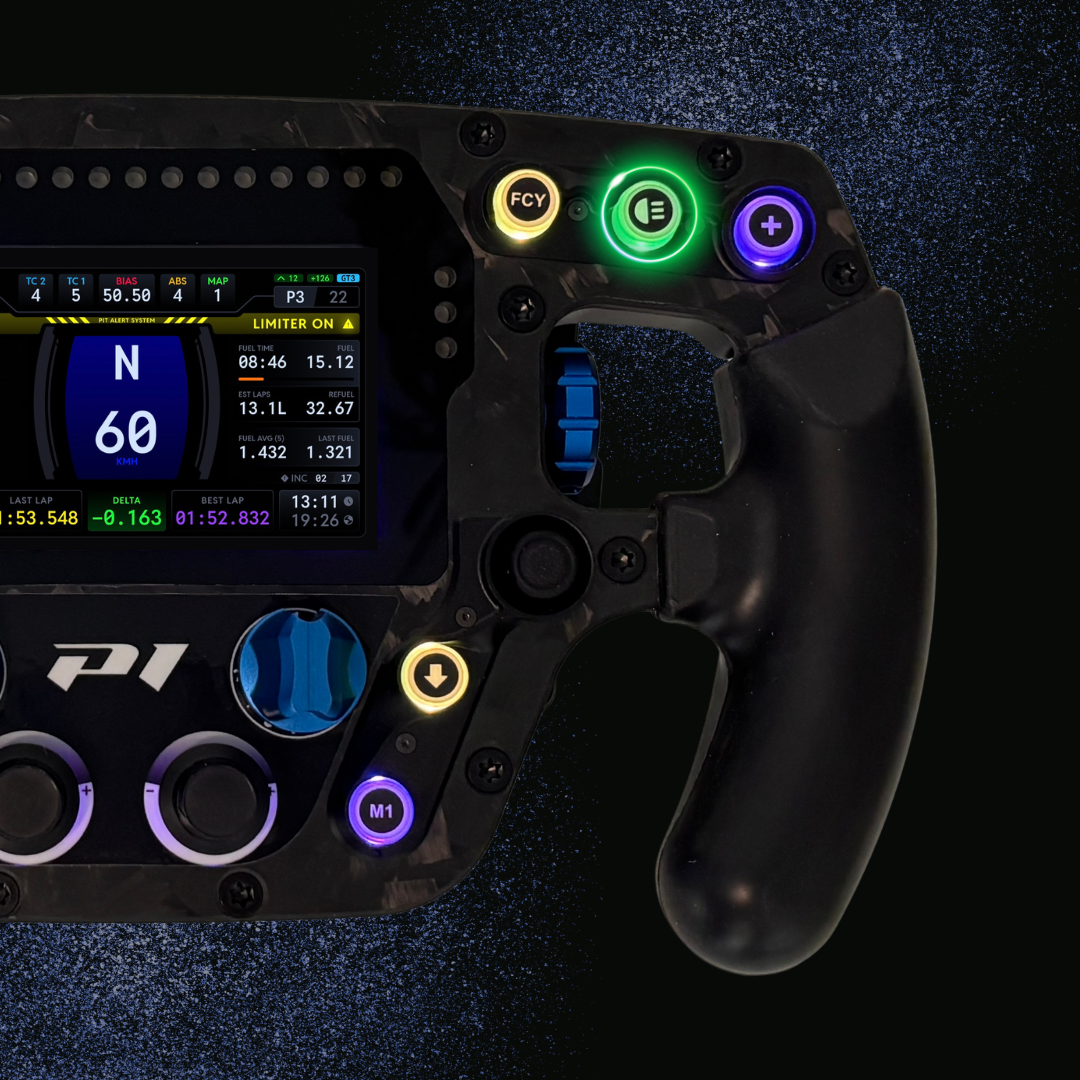
Green = Signal
Color Advanced #FF7FFF00
Flash (green): headlight flash. A quick, repeatable action that must stay easy to trigger. Green = “I’m communicating”.
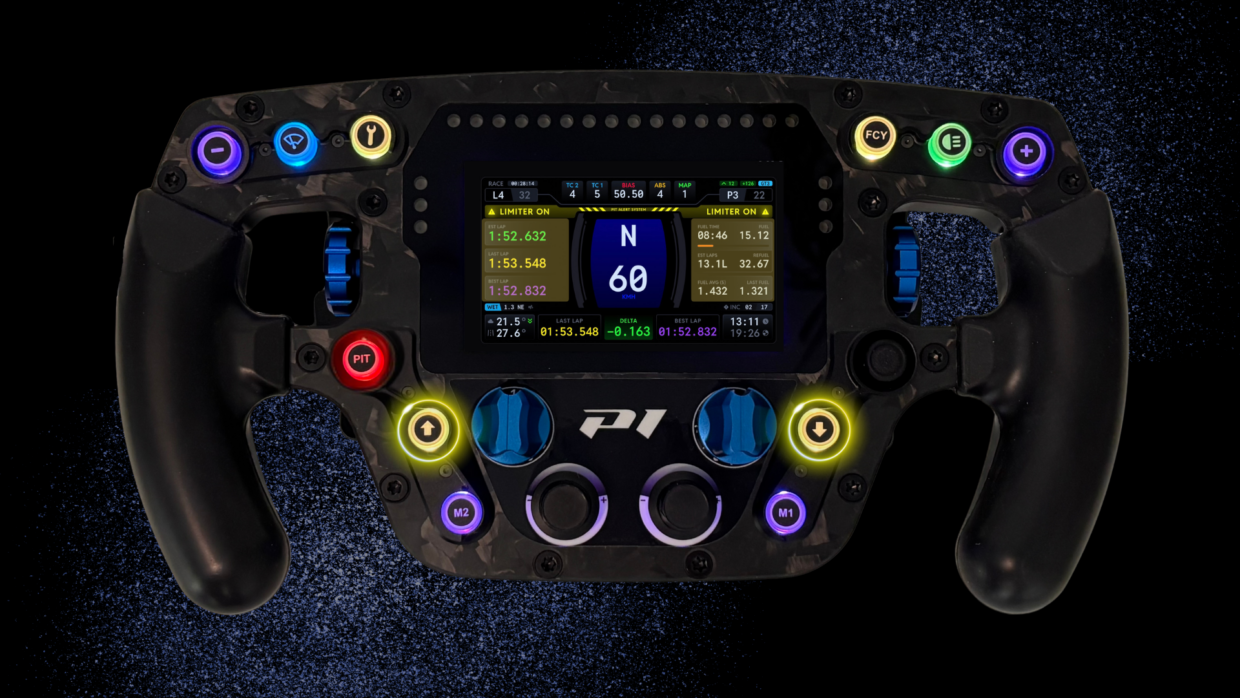
DNR Dash Navigation: Left/Right
Color Advanced #FFFFD700
Under the screen, the two “up arrow and down” buttons have a very specific role:
Left arrow (yellow): scrolls the left side of the DNR dashboard.
Right arrow (yellow): scrolls the right side of the DNR dashboard.
Yellow = Procedure

Color Advanced #FFFFD700
“Key” button (yellow, top of the wheel): I use it to start telemetry logging and “bookmark” a lap so I can review it later — especially in MoTeC. I keep it yellow because it’s a “procedure” action: important, but done at the right moment, not in an emergency.
FCY: this button is already reserved for Full Course Yellow. The functionality should arrive in Le Mans Ultimate in the future, and I’d rather have the wheel ready now: when it lands, I won’t be remapping in panic.
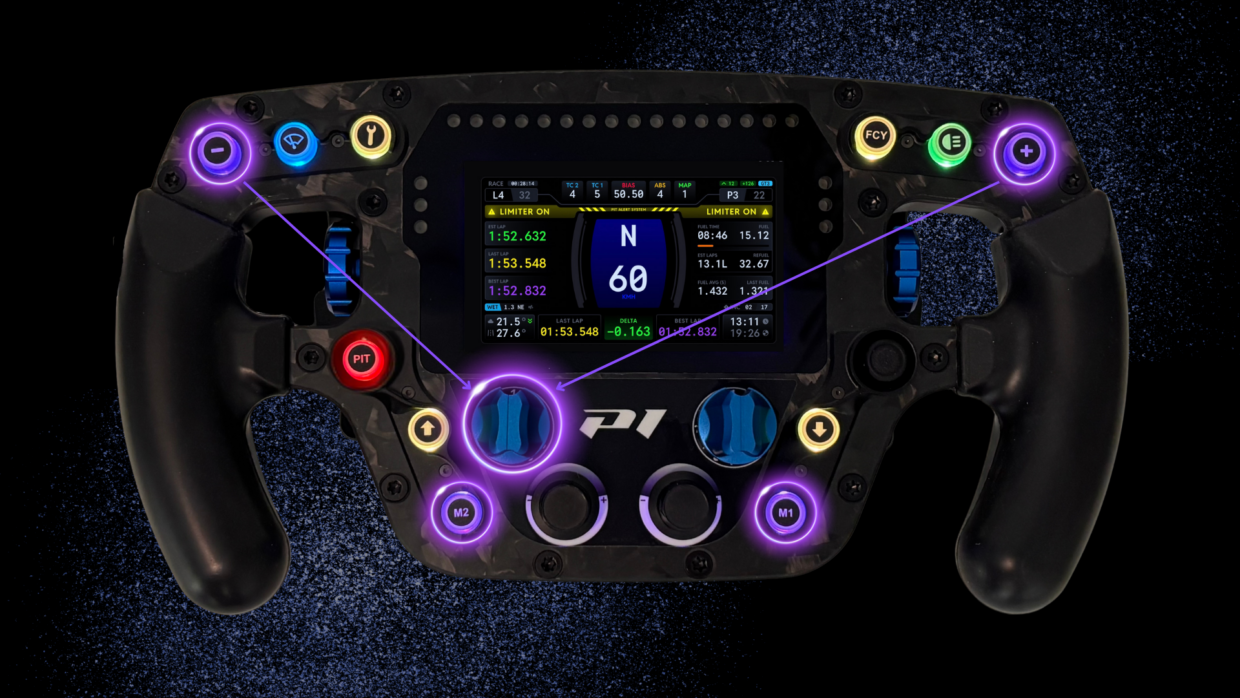
P1 SIM Purple = Advanced Driving / Layers / Modes
Color Advanced #FF8A2BE2
“-” and “+” buttons (purple): these will be used for multiplexing. In short, multiplexing lets you use the same physical controls to operate multiple functions depending on the active “layer”. In my case, it will mainly serve the hybrid system
M1 and M2 (purple, lower section): quick-access buttons for specific driving modes. The goal isn’t to build a spaghetti monster — it’s to have two ready-to-go states with a simple, repeatable logic.
In the end, this lighting map isn’t a gimmick: it’s how I organize the wheel like a real driving station. Each color defines a priority, each button has a clear intent, and above all… I can find everything by instinct.
And that’s where it all becomes coherent: these colors and buttons aren’t only there to “look clean”, they’re there to manage information. Because even the best dash is useless if you can’t evolve it on the fly without getting lost in menus. With DNR, you step into that exact logic: an endurance-minded dashboard, modular, and truly customizable to match how you drive. And that’s exactly where the P1 SIM Eau Rouge Apex makes sense: between the screen, the readability, and the left/right navigation, you’ve got a wheel that doesn’t just display — it lets you manage your dash like a race tool.
The DNR Dash: A Fixed Core, Customizable Where It Matters
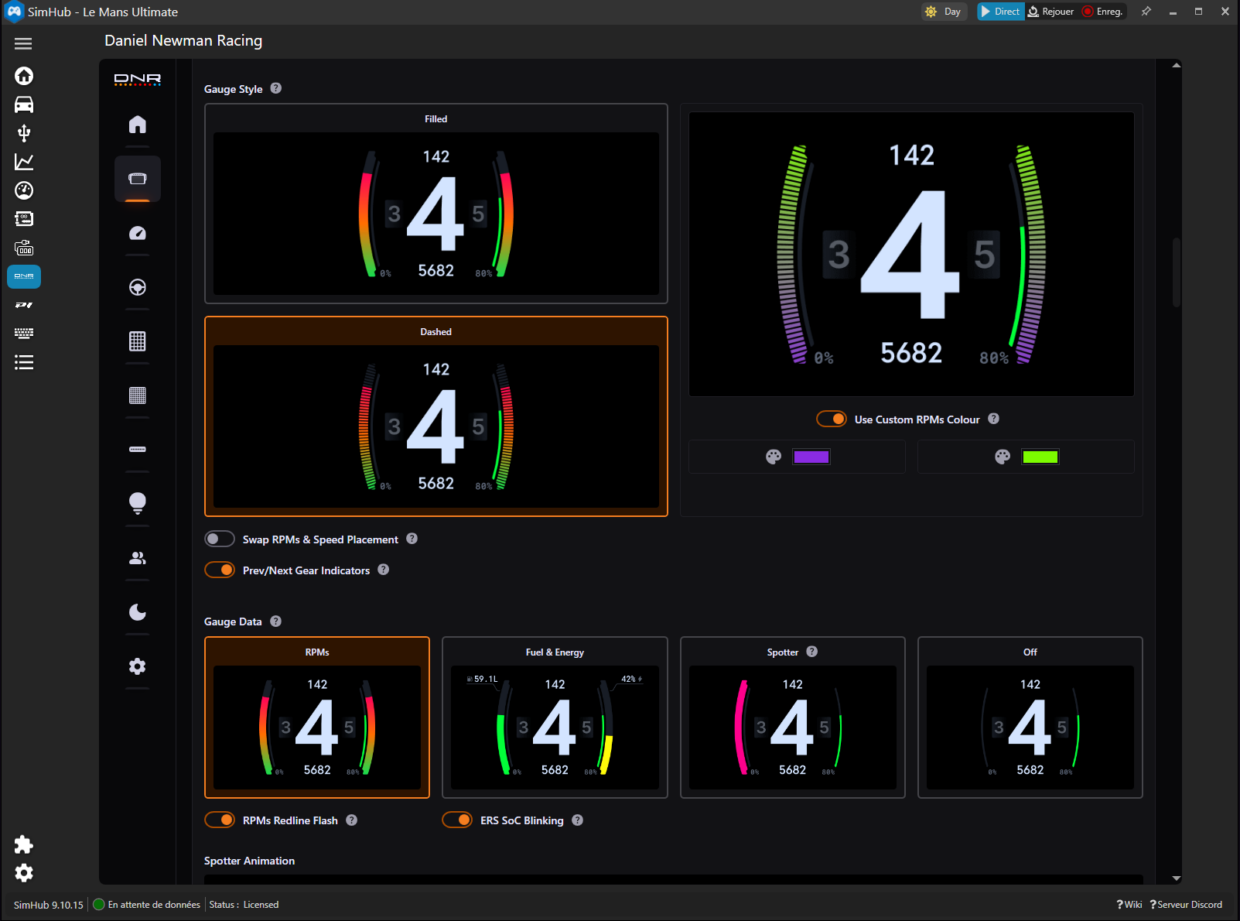
Once you’re on track, we’re at the heart of the topic: the DNR dash itself. And the first thing to understand — especially if you love optimizing everything — is that DNR made a very endurance-minded choice: the central section stays fixed. No endless Lego dashboard, no layout changing depending on your mood. The center is the center: built to stay stable, readable, and instantly recognizable, even in traffic or at the end of a stint.
So customization isn’t about moving everything around — it’s about refining the aesthetics without breaking readability. Concretely, you can add your personal touch by choosing colors for certain elements: visual accents, separators, secondary zones… just enough to match your cockpit (and here, the P1 SIM / 9X8 identity) without turning the screen into a Christmas tree. The idea is to stay in a pro mindset: you recognize the information instantly, and you enjoy the details — not the structure.
Left/Right Panels: A Modular Dash, Controlled From the Wheel
Where DNR gets really clever is the side panels. The center stays fixed (endurance logic), but the left and right sections are modular — and crucially, you can control them directly from the wheel using the two yellow arrow buttons below the screen. The result: I’m not “stuck with” a dash. I can change it based on what I need to read right now, without breaking rhythm.
By default, I run a simple, ultra-useful setup:
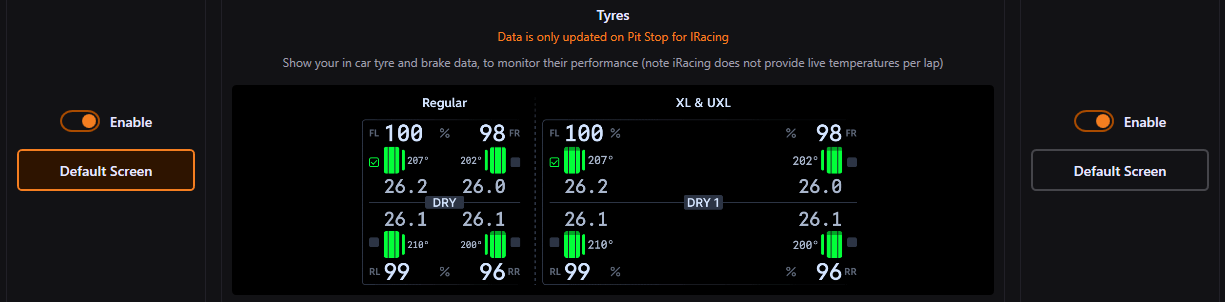
- Left: tires. My constant health check. Temps, trends, wear direction… the info that tells me whether I’m building a clean stint or slowly cutting the branch I’m sitting on.
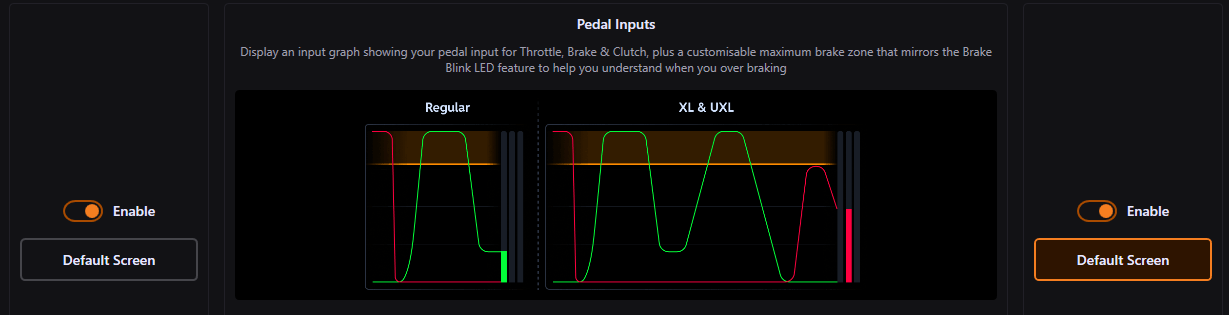
- Right: pedal inputs, showing only throttle and brake traces. And this is my secret weapon. On the 9X8 there’s no ABS: if you want to improve, you must understand exactly how you hit the brake, how you release, and how you modulate pressure. This “raw” view lets me dissect my braking lap after lap: do I hit too hard initially, do I release too quickly, do I stay on the pedal too long… and above all, how does that translate into car behavior?
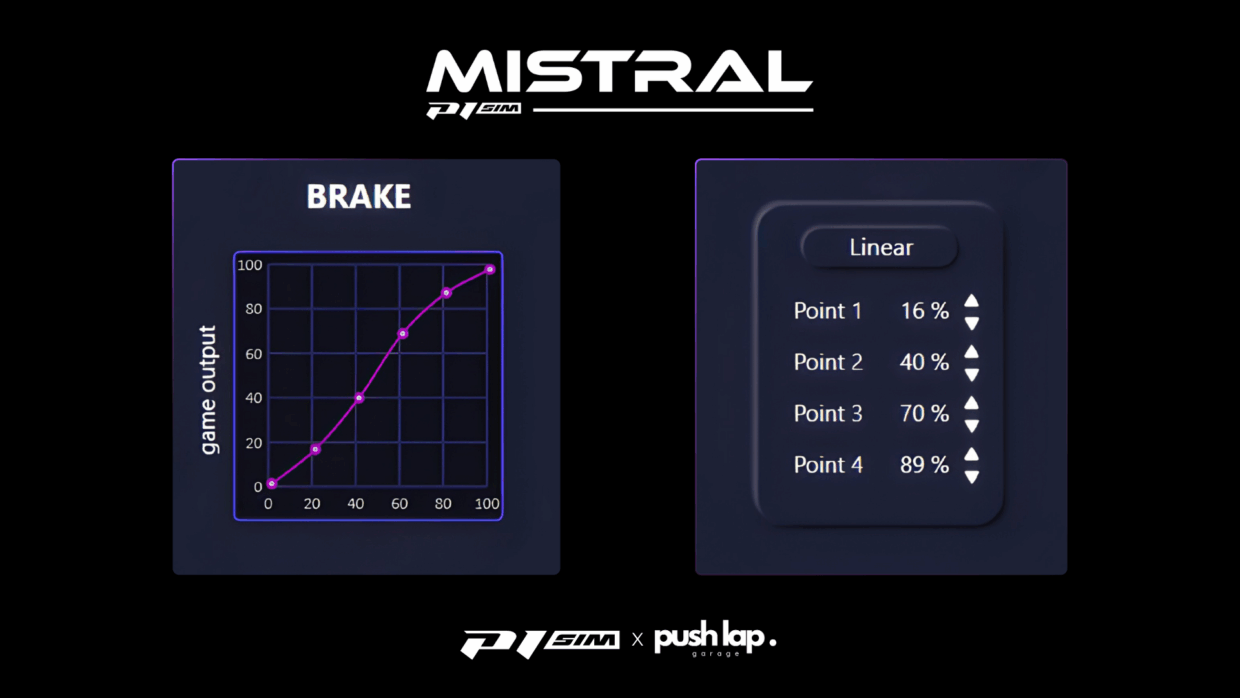
A well-tuned brake curve in P1 SIM/SimHub software is one thing… but the real question is what you actually produce on track. With the DNR brake trace on screen, I can instantly check whether my profile matches my input: do I reach pressure as intended, am I progressive, do I release cleanly, is my modulation repeatable? In short: the dash becomes a quality-control tool between what I configured and what I’m truly doing with my P1 SIM Mistral pedal set.
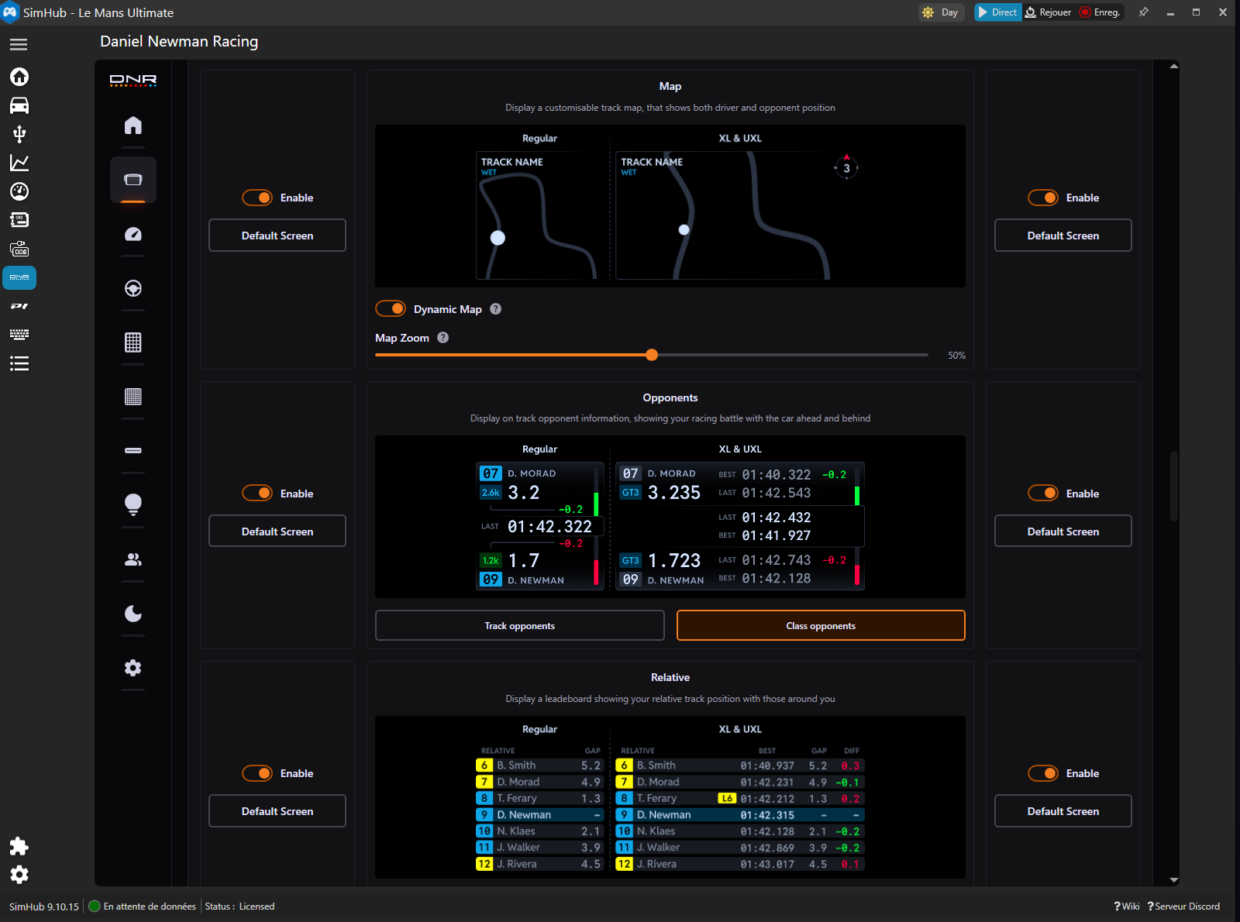
And then, of course, I switch depending on context. That’s where the DNR dash shines: with a couple of presses, I can jump to other “views” depending on what I need. In the photos below, I’ll show several options: live standings, nearby competitors, sector timing to see where I’m gaining/losing, or the track map to visualize positions and read the race beyond pure instinct.
Bottom line: a stable core, and two side panels I can drive like a tool. That’s exactly the kind of detail that makes the Eau Rouge Apex and DNR work so well together: the information is there — but you choose which piece deserves to be on screen.
Lower Strip: Fuel or Timing, Depending on the Race Moment
Last detail I really like on the DNR dash: the lower strip. It’s designed to show “always useful” information, but not necessarily the same thing in every situation. In practice, I use it as a switch between two essentials in endurance: fuel data or timing data.
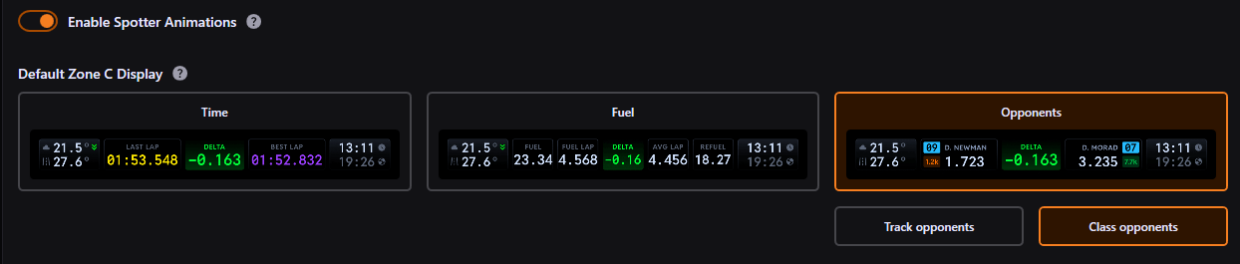
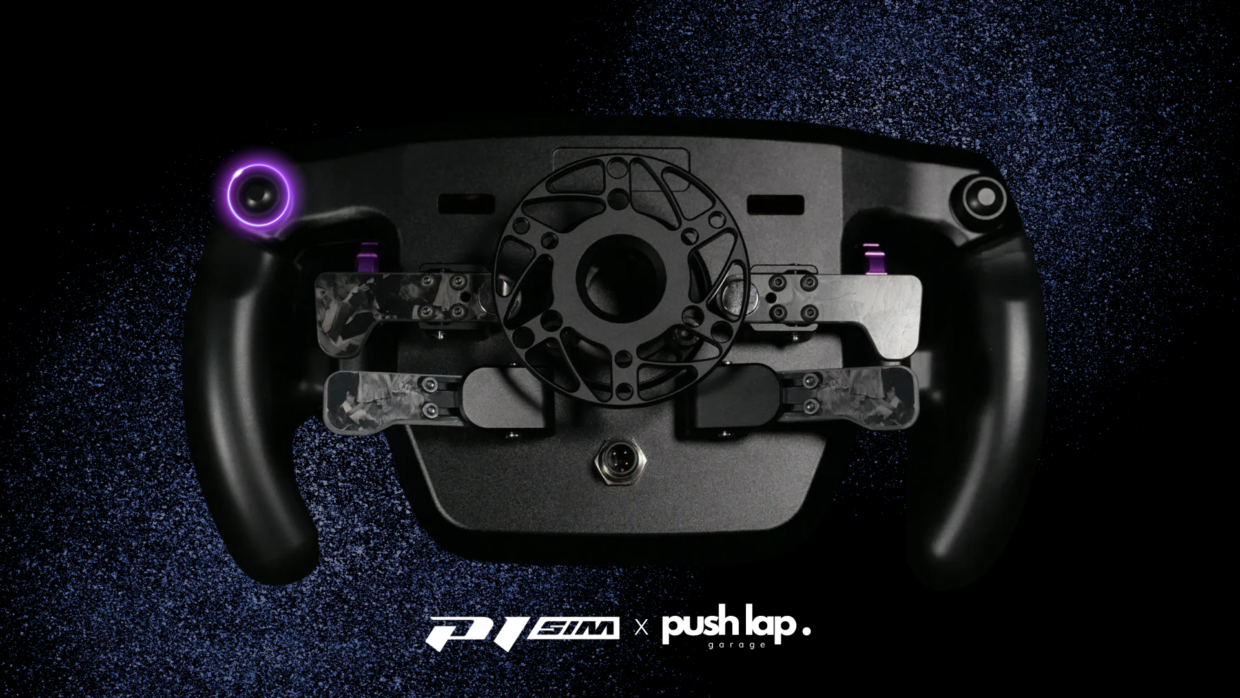
And I don’t hunt for it on screen: I control it directly from the wheel, using the rear button located at the very end on the upper side. That’s exactly the kind of control that makes a difference: you change information without breaking rhythm, without diving into menus, and without trying to steer with one hand while praying with the other.
Early in the stint — or whenever I want to keep the strategy safe — I switch to fuel: range, consumption, whether I’m on plan or quietly sabotaging it with overdriving. When I’m in a more “push” phase, I switch to timing: a more direct performance read, useful to see whether my pace is stable and where I’m gaining or losing.
It’s a small detail, but it’s pure DNR philosophy: a stable endurance dash, and zones you can evolve from the wheel, when you need them. On the Eau Rouge Apex, that kind of control naturally falls under your fingers… and it reinforces the same idea: the wheel isn’t only there to steer — it’s there to manage your race.
Conclusion
In the end, what stands out is that the P1 SIM Eau Rouge Apex isn’t “premium” in the marketing sense. It’s professionalin its intent: impeccable finishing, high-end materials, serious assembly — and above all, ergonomics designed for long stints, high pace, and clean execution. You can feel it wasn’t built to impress in photos, but to handle an entire endurance season without draining you mentally every time you jump into the car.
And there’s one detail that doesn’t lie: you can feel the brand’s motorsport DNA. The Eau Rouge Apex wasn’t designed as “consumer sim racing”. It was designed as a tool inspired by real racing requirements: readability, reliability, repeatability, and information management at the wheel. That connection to competition is what delivers the end result: a product that doesn’t pretend to be pro… it is.
The logical next step is to keep exploiting this Apex + DNR pairing: show concrete dash examples, push customization where it actually adds value, and progressively build the advanced layer that turns ergonomics into a weapon. And in a next article, we’ll take a proper deep dive into multiplexing.
Qatar 2026 target: we don’t want a cockpit that puts on a show. We want a cockpit that gets the job done… and makes you want to stack stints back-to-back.
Leave a Comment